
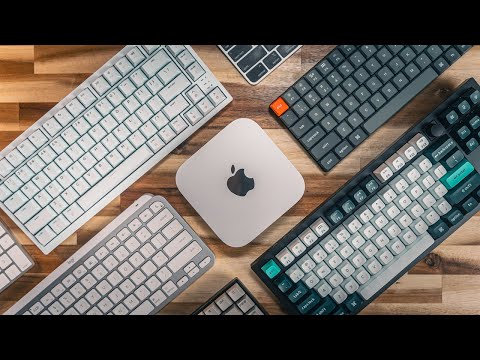
These are my absolute favorite keyboards for Mac!
LINKS TO ALL PRODUCTS ARE LISTED BELOW 👇
Finding the perfect keyboard for your Mac can be a game-changer, and in this video, I’ll break down the best Mac keyboards of 2024. Whether you’re looking for premium features, seamless compatibility, or a budget-friendly option, I’ve tested them all to help you decide. From mechanical keyboards to sleek wireless designs, there’s something here for every user. Get ready to upgrade your setup and elevate your typing experience.
Apple Magic Keyboard (TouchID, USB-C):
Apple Magic Keyboard (TouchID, USB-C w/ numpad):
Apple Magic Keyboard (USB-C):
Apple Magic Keyboard (w/ numpad):
Logitech MX Keys S:
Logitech MX Keys S (Mac only):
Logitech MX Keys Mini:
Keychron K3 Max:
Keychron Q3 Max:
Corsair K65 Plus:
Download My Latest Wallpaper Pack HERE:
MY SETUP GEAR:
Space Black MacBook Pro M4 Pro |
Effydesk Wildwood Standing Desk |
Effydesk Deskshelf |
Apple Studio Display |
HumanCentric Vertical Laptop Stand |
Walnut Headphone Stand |
Beyerdynamic DT 990 Pro Headphones |
CalDigit TS4 USB Hub |
Samsung 980 Pro SSD |
HyperDrive Next USB4 SSD Enclosure:
Logitech MX Master 3S Mouse |
Apple Magic Keyboard with TouchID |
Orbitkey Desk Mat & Keyholder |
Olanglab Wood Slat Panels |
UMIAcoustics Wood Slats |
Lamomo LED Neon Rope |
Grid Studio iPhone Classic Kit |
Mandalorian Lego Figures |
LINKS TO PRODUCTS CONTAIN AFFILIATE LINKS
By using the affiliate links, I earn a small fee from any purchase you make. It won’t cost you anything to use them. By clicking them it helps support me, and create more content for you. Thank you for the support!
_______________________________
00:00 | Start
02:18 | Apple Magic Keyboards
05:14 | Logitech MX Keys S
06:43 | Warning About the MX Mechanical
07:19 | Keychron K3 Max
09:59 | Keychron Q3 Max
12:06 | Corsair K65 Plus
15:09 | Wrapping Up
#apple #mac #applekeyboards
Bro, just get the attack shark x820 ultra, it sound
Da nice and have all the features
No discussion about the Satechi? I have had one of theirs for a few years now and it has been great. Only issue is the battery is degrading so the backlighting automatically turns off. Low profile, and an aluminum body, its basically a backlit version of Apple’s product but without the glob or Touch ID
Thanks … now im even more confused. I want a keyboard for my Mac mini 4 and iMac. I don’t want to play swapping keys … ever. Want it to work right out of the box.
I used to love my IBM electric I keyboard … then a company named Northgate sold a big clunky mechanicsl keyboard that was great. It also made a good defense weapon if someone broke into your house. I also loved the old chunky clunky apple full wired keyboards.
I’ve used the cheapest keyboards and whatever else. Just want a ŵired/ and Bluetooth keyboard for macs. If it has that clicky, Mechanical IBM sound, that’s great. In school, I used to type so hard that people would come in from another room to see if I was beating the tiny Mechanical creature. Help me. A keyboard over $150. With features I don’t care about that self administers CPR that shoots psychedelic lights out of its Mechanical buttons ain’t gonna entertain me for more than an unboxing. Help me OH Mighty keyboard guru. You’ve probably spent more money on keyboards than I have on women in a lifetime. Thank you. 🙂
Ps … I hate one finger typing on my phone.
Touch ID is absolutely needless if you wear an Apple watch to unlock your Mac with. Which it does. Instantly.
you do not gaming in mac mister go get urself a windows pc with 5090