
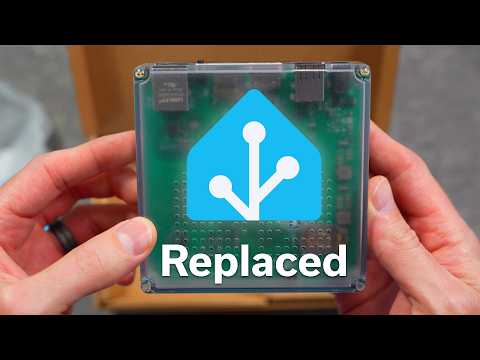
This Home Assistant hardware setup guide compares running Home Assistant on existing hardware, Home Assistant Green, and a Raspberry Pi 5. I explain how direct Zigbee, Thread, and Z-Wave USB radios can eliminate the need for extra hubs while supporting devices in Apple Home and other smart-home platforms. It will help you choose the right Home Assistant setup based on your current hardware, wireless-device needs, and how far you want to expand your system.
🎞️ *Watch More*
🛍️ *Go Shopping*
My Raspberry Pi 5 Kit [Amazon]
Home Assistant ZBT-2 for Thread or Zigbee [Amazon]
Zooz Z-Wave Radio Smart Stick G8 [Amazon]
Zigbee USB Stick [Amazon]
Home Assistant Green [Amazon]
💌 *Sunday Scene Newsletter*
It’s just 3 Apple or smart home things worth your attention.
➕ *Subscribe*
📸 *Instagram*
🧵 *Threads*
*Chapters*
00:00 Intro
00:24 Running Home Assistant on Existing Hardware
01:30 Why Direct USB Radios Matter
02:30 Home Assistant Green Overview
03:23 ZBT-2 and USB Port Limits
05:00 Thread, Zigbee, and Z-Wave Setup
06:13 Why I Upgraded from Home Assistant Green
06:48 Raspberry Pi 5 Hardware Setup
08:24 Installing Home Assistant OS
08:54 Which Home Assistant Setup Is Right for You?
09:30 A Simpler Alternative: Homey
#HomeAssistant #RaspberryPi5 #SmartHome
💼 *Details*
– Some links in this description are affiliate links and might support the channel at no additional cost to you
– This video and all of Eric Welander’s channel is a production of E. Welander, LLC


Sonoff dongle max, or other devices similar to it. A PoE powered zigbee or thread router that sits on the network instead of using a USB device.
Tip: Don’t get a USB Zigbee coordinator, but one with a ethernet port (f.e. one from SMLight). That way you can put the coordinator where ever in your house it is the most optimal reception wise.
HA is only an automation supplement to my Apple Home setup. I am using an old 2012 Mac Mini to run HA as a VM. It’s a quad-core i7 with 16GB RAM and two internal SATA SSDs. I also installed a cheap USB 2.5G Ethernet dongle to help speed things up on the network. For HA, I allocate two cores, 8GB of RAM and 50GB of SSD storage. The old Mac runs great for HA plus as a Time Machine host for my other Apple machines. On the downside, it may be a little power-hungry compared to say a Pi but not a concern for me. Also, since it is almost 15 years old, Apple does not provide security updates. However, I block it from internet access in my UniFi firewall so the risk is minimal. There may be better HA hosts out there but this setup works for me.
I have decided to go thread only. That’s the protocol Matter said the industry would be moving toward. Wish that had been more true. Thinking about taking the HA dive for more advanced automations and dummy switches, but really wish it was simpler to use. Got lost the first two times I tried to set it up.
Something you did not mention is HAOS (Home Assistant Operative system) that you can install on almoast any hardware.
Then i would NOT reccomend anyone to run Home Assistant on a SD card due to they are not very durable.
Instead get a used mini pc like HP Elitedesk 800 G4 or similar. They are pretty cheap and there is alot of them out there on Ebay etc.
Me personally have a SMLight SLZB-MR1U that run both Zigbee and Matter at the same time. And i run Home Assistant on a Virtual machine on my server that runs Proxmox.