
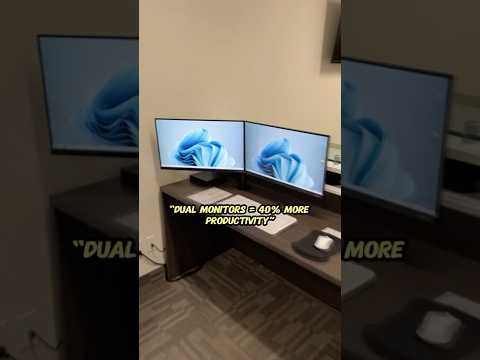
Want to work faster and get more done? Adding a second monitor can increase productivity by over 40% on average. Dual screens let you spend less time switching tabs and more time focusing on what matters.
Tips for setup:
• Use your main monitor for core work, second screen for reference or communication.
• Keep both screens at eye level to prevent neck strain.
• Match height and reduce glare for long-term comfort.
Studies show dual setups reduce errors, improve multitasking, and cut down wasted time.
👉
📱 Let’s Connect:
Instagram:
TikTok:
#DualMonitors #ProductivityTips #TechInsomnia


I’ve moved to four-screen 4ktravel setup weighs under 3 kg. Tell me if you think it’s better?
Laptop: ASUS Zenbook Duo (2025)
Two 14-inch OLED touchscreens, each running at 2880 × 1800 at 120 Hz
Weight: approximately 1.3 kg
External monitor: InnoView INVPM109
Dual 15.6-inch foldable portable monitor
* Per-panel resolution: 3840 × 2160 at 60 Hz
* Combined mode: 3840 × 4320 at 60 Hz
* Independent mode: Two separate 3840 × 2160 displays at 60 Hz
* Connection: Verified over compatible Thunderbolt 4 and Thunderbolt 5 cables with the Zenbook Duo
* Inputs: 2 × USB-C, DisplayPort, HDMI and 3.5 mm audio
* Weight: 3.4 lb, approximately 1.54 kg
* Included accessories: Full-featured USB-C cable, HDMI cable, DP 2.0 cable and 30W PD charger
Combined weight of all four screens: approximately 2.84 kg
The InnoView is the best portable monitor I have used.
Power supply: Anker Prime 160W
One compact three-port USB-C charger powers the complete setup, replacing multiple power adapters.
Travel mouse: Logitech MX Anywhere 3S
Compact rechargeable mouse with quiet clicks, multi-device Bluetooth and an 8,000 DPI sensor. Works on glass table top