
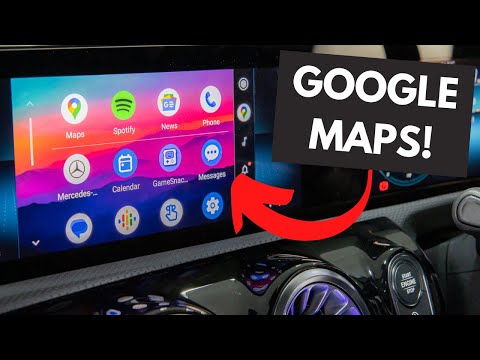
Most modern cars today have Android Auto capability which basically mirrors a car friendly version of your phone, on your car’s screen allowing use of Google Maps, Spotify along with Calendar and Reminders just to name a few.
Chapters:
0:00 Intro
0:20 What is Android Auto?
1:13 Compatibility
3:02 Connecting for the first time
5:02 Apps
13:10 Android Auto Coolwalk
#AndroidAuto #Android #SandownMercedes
USB-C ADAPTER
▀▀▀▀▀▀▀▀▀▀▀▀▀▀▀▀▀▀▀▀▀▀▀▀▀▀
I use these for all things USB-C! Compatible with all models of Mercedes-Benz that feature USB-C ports, compatible with Apple CarPlay & Android Auto too!
📣 SPECIAL THANKS 📣
▀▀▀▀▀▀▀▀▀▀▀▀▀▀▀▀▀▀▀▀▀▀▀▀▀▀
Shoutout to Sandown Mercedes-Benz in the UK for providing access to all of the cars you see in the videos! Check them out:
🎵 👊🏼 Getting value from these videos? Want to support my channel? Become a member and get EARLY ACCESS to videos among other perks!
All music in this video is from Epidemic Sound:
Over 35k songs & over 90k sound effects
⬇️ 30 DAY FREE TRIAL⬇️
🎥 B-Roll clips obtained from:
Android Auto Launch Trailer
Daimler Global Media & Mercedes-Benz Newsroom (used with “editorial purpose permission”)
I’ve heard Android Auto Coolwalk (an update for Android Auto) is coming soon! Not sure on the devices it’s compatible with but….make sure you’re SUBSCRIBED so you don’t miss out!
https://www.youtube.com/channel/UC8VSC5vv_SUeydoBo9ISucw?sub_confirmation=1
Thanks for watching and supporting the channel! 🙏🙏🙏
I have just put android auto but maps won’t connect
Why does the speedometer doesn’t show on the Google map on android auto but it shows on the Google map on apple car play?
Thanks for the well presented data.
I have a similar device that plugs into the cigarette outlet and for navigation it links to Google Maps on my phone.
I have found it to be unreliable and it let me down spectactularly recently. I was on a five lane highway with all lanes full, and I was nearing my destination.
The voice commands decided to stop working so I didn’t know what exit I needed so that I could switch lanes as needed. Also the note on the device telling me how much further to go was giving me stupidly wrong data. So I over-shot and ended up on a very long detour.
When I got back the device went into the bin and I will replace it with a standard Garmin Sat Nav.
I have a C200 auto (2018) and am tearing my hair out trying to install Android Auto on the car “infotainment” system. I’m using a brand new rapid data transfer cable. I’ve tried re-booting my mobile (also new running on Android 16), clearing the cache, data and previous cars (none/nothing in any of these anyway), un-pairing the mobile then re-pairing. Absolutely nothing can get the data transfer process started – it always ends “M B Link could not be started. OK”. Can anyone here help with this problem?