
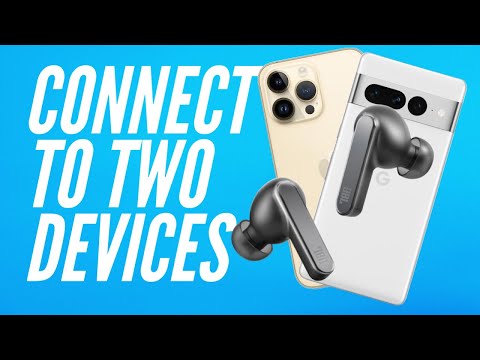
In this video, I will show you how to connect your multi-point connection-enabled earbuds to two devices. I will use the JBL Live Pro 2 as the earbuds and connect them to my iPhone 14 Pro and iPad Pro. This should also work for all other JBL earbuds with multipoint connection like the JBL Tour Pro 2, JBL Live 660NC, JBL Live 650BTNC, JBL Live 500BT, JBL Live 400BT, JBL Live 200BT, JBL Tune 750BTNC, and more.
This multipoint connection tutorial is easy to follow, and you’ll be able to connect your earbuds in no time! After watching this video, you’ll be able to connect your JBL Live Pro 2, or any other multipoint connection-enabled earbuds, to any two devices simultaneously.
Get your pair of JBL Live Pro 2 here:
other multipoint connection devices:
Soundcore by Anker Life Q35:
JBL Live 660NC:
JBL Tune 760NC:
#bluetoothearbuds #multipointconnection #jbllivepro2
Shop our affiliate links:
📺 Subscribe to our channel for more videos like this:
📱Follow us on Instagram:
Ardently Tech:
Adrienne:
Arnell:
At Ardently Tech, we are dedicated to helping you discover and understand the technology that simplifies our lives. Technology is supposed to make our lives easier — but with the rapidly changing advances and technical jargon, it can be hard to keep up with it all. So whether that is everyday tech, like smartphones, tablets, laptops, etc., or tech that you haven’t heard of, we are here to help clarify and share which of that tech is actually worth your time and improves your life.
——-
Chapters
0:00 Multipoint connection on JBL Live Pro 2
0:16 First step: pick your two of your devices
0:39 Connect to the first device
1:12 Connect to the second device by repeating last step.
1:55 How do you know you’re connected to both?


Sometimes these instructions will not work. JBL chat tech support explained that sometimes you have to reverse the device pairing order. Since my laptop second device did not find the JBLs after searching, I had to: 1) Disconnect the JBLs, “forget” them, then turn off my phone’s bluetooth. 2) Go to the laptop, repeat the Quick Start Guide steps for pairing a first device, 3) Repeat the Guide’s pairing second device instructions on my phone. Success is sweet
Hi! I would like to ask something. As I know the double tap and hold (5s) is for factory reset. Simple tap and hold (5s) is for pairing. Can you tell me why do you prefer, or recommend double tap and hold method instead of simple tap and hold?
How can we know which earphones have multipoint connection??
It works for my left one but not my right
Can you tap on the EarPod to answer a Teams call if you connected to your computer?